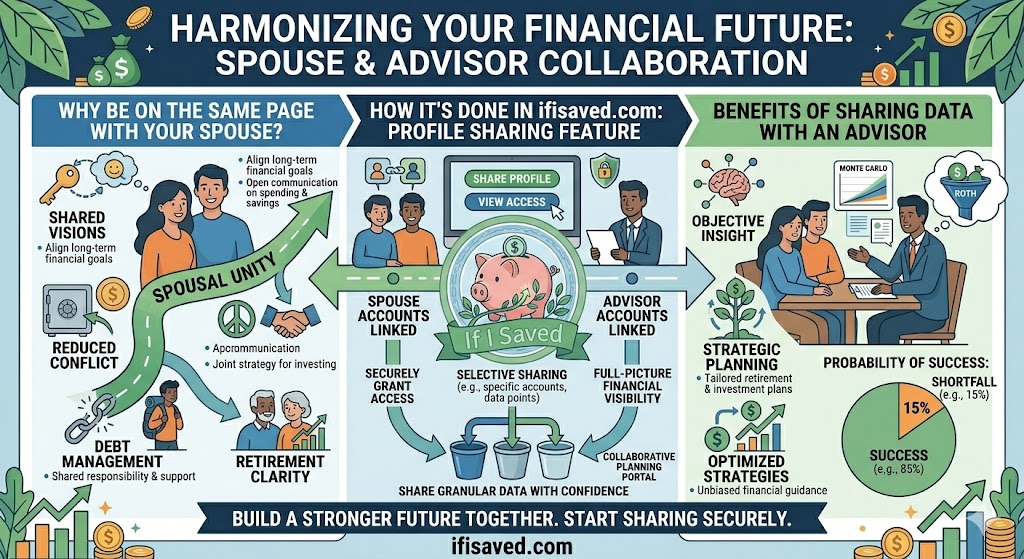
Your financial life doesn't exist in a vacuum. Whether you're building a future with a spouse, working with a financial advisor, or simply trying to get a second set of eyes on your plan, there has always been a friction point: how do you share your data without handing over your login?
We've just launched Profile Sharing — a secure, granular way to give others a read-only (or limited-edit) window into your financial picture, without ever sharing your account credentials.
Why This Matters: The Google Account Problem
Think about how you use Google. You have your own account. Your spouse has theirs. Your financial advisor has one too. Nobody shares a Google account — and you shouldn't have to share your financial app login either. Profile Sharing solves exactly this problem: each person keeps their own secure login, and you decide what they can see and do within your profile.
Perfect for Couples with Joint Finances
If you and your spouse share bank accounts or are working toward shared financial goals, you no longer need to sit at the same computer to review your budget together. Your spouse can log in with their own account and see your financial data in real time. They can review budgets, check the retirement projections, or monitor debt payoff progress — all without you needing to be present. You stay in control of what they can access, and you can update or revoke that access at any time.
Collaborate With Your Financial Advisor
If you work with a financial advisor, profile sharing opens up a whole new level of collaboration. Instead of exporting spreadsheets, sending screenshots, or scheduling screen-share sessions just to show them where you stand, you can invite your advisor directly. They log in with their own account and view your data on their own time. You control exactly which sections they can see, and you can even grant them the ability to update things like your retirement configuration or property values if that fits your workflow.
Granular Control Over What Gets Shared
Not every relationship calls for full transparency. Profile Sharing gives you fine-grained control across two dimensions:
- Data Access — Choose which sections of your profile are visible: Transactions & Budgets, Debts, Investments, Retirement, and Properties. Toggle each one independently.
- Write Permissions — Optionally allow the person you're sharing with to do more than just view. You can permit them to add and manage budgets, categorize transactions, update your retirement configuration, or update property values.
If you only want your advisor to see your retirement projections, you can share just that. If your spouse helps manage the household budget, you can give them budget access without exposing your investment accounts. Every combination is possible, and you can change the settings at any time.
Built on Industry-Standard Security
Security is not an afterthought here. Like everything else on IfISaved, profile sharing is built on OAuth token authentication — the same industry standard used by Google, Apple, and every major financial institution. Every request to view your data requires a valid, cryptographically signed token from the invited person's own account. There are no passwords passed around, no shared sessions, and no backdoors.
When you share your profile, an invitation link is generated. Only the person who creates their own IfISaved account and accepts that specific invitation (to them only) can access your data. The moment you revoke an invite, access is cut off immediately — no cleanup required on their end.
The bottom line: nobody can see anything you haven't explicitly allowed. Not the person you invited, not us, not anyone.
How to Get Started
Profile Sharing is available now. Head to Settings → Profile Sharing to create your first invite. You'll name it (e.g., "Spouse" or "Advisor"), set the data access and write permissions, and get a shareable link. Send it via email or text — your recipient clicks it, signs up or logs in, and they're connected to your profile instantly.
You can manage all your active shares from the same page, update permissions on the fly, or revoke access entirely with one click.
Financial planning is better together — and now you don't have to compromise your security to make it happen.